
About FAQs
How do I stake my liquidity?
Liquidity mining on TELx
Note: In order to begin mining TEL with your liquidity, you first need a liquidity position NFT on a TELx Uniswap pool. Learn how here.
1. Once you have your NFT(s), navigate to the Pools page and ensure your wallet holding your NFT(s) is connected.
2. Click the pool you'd like to stake your NFT(s) on.
3. Navigate to the bottom of the page. Your NFT(s) should be listed:
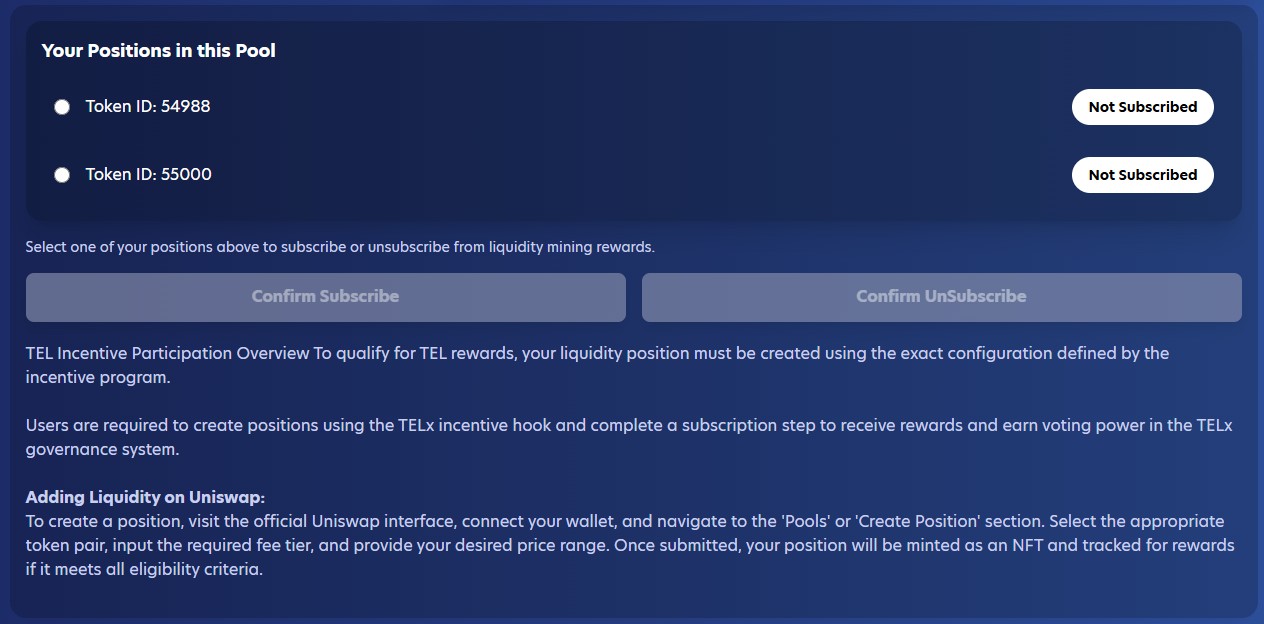
4. Select the NFT you would like to stake.
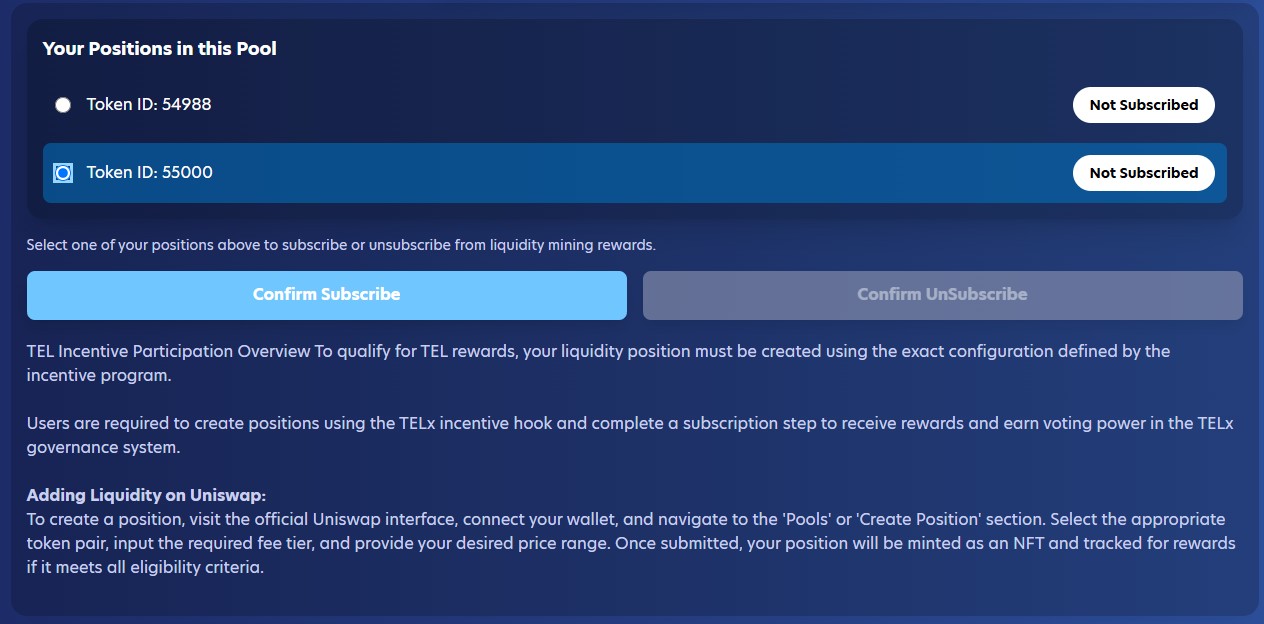
5. Click 'Confirm Subscribe', then confirm the transaction in your wallet.
6. Once your transaction confirms your NFT should be labelled 'Subscribed':
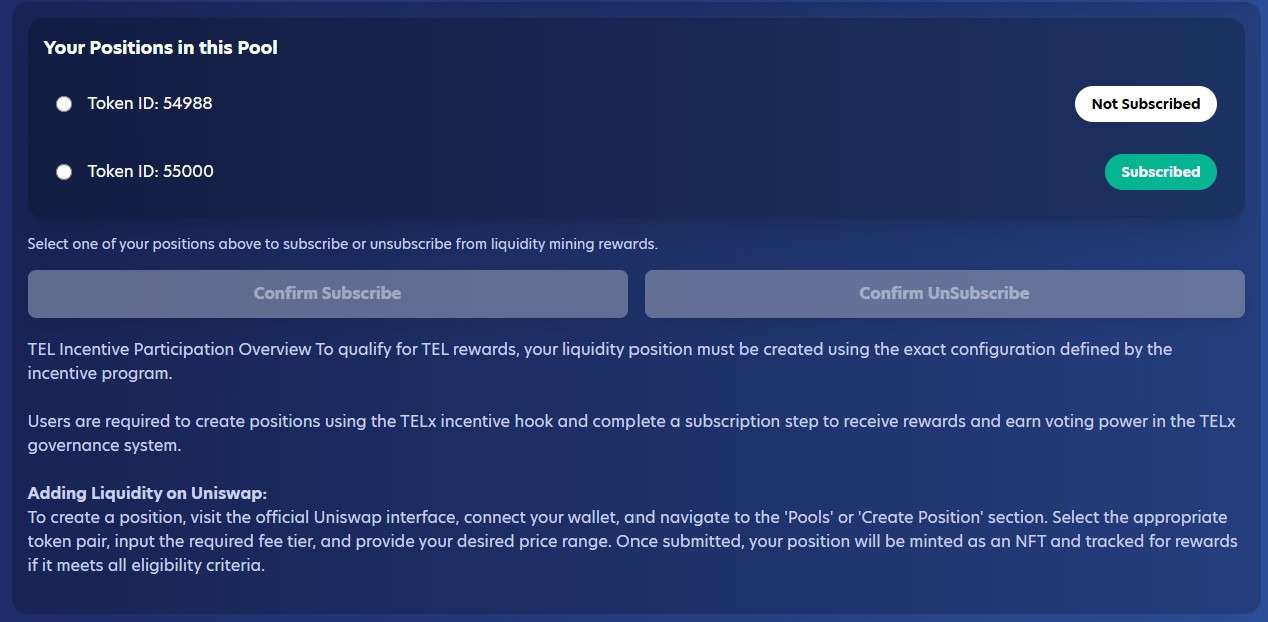
7. You are now a TELx Liquidity Miner on a Uniswap pool!
8. Repeat steps 3-6 for any other NFTs you would like to subscribe.